

Create your first product
From idea to live AI-powered product in minutes — and understanding exactly what you're building.
Before you build, it helps to understand what you're actually creating — because Productised is a very specific kind of platform, built for a very specific kind of professional.
Two ways to build. This page walks through the Create with AI flow in the dashboard. If you'd rather build from inside a Claude conversation (recommended for beginners), see Build a product end-to-end through the Claude Connector — same outcome, different conversational interface.
What you can build in Productised
Productised is designed for coaches, consultants and small businesses who want to deliver more value to their audience, generate better leads, and make their expertise work at scale. The products you build here are client-facing, high-value experiences — not internal tools, not utilities people use every day.
These are products that do the work of a great first conversation. A prospect goes through your product once. They receive something personalised and impressive. You get a qualified lead with everything you need to follow up well.
Here are just some the kinds of products coaches and consultants build on Productised, mapped to the outcome they deliver:\
Gain access to the full list at our Claude Connector Prompt Library
Lead diagnostic → Report
A prospect answers 6–10 questions about their situation. The AI evaluates their answers against your framework and delivers a personalised diagnostic report — with a CTA that routes high-fit leads to your calendar.
Readiness scorecard → Report
A structured conversation scores someone's readiness across multiple dimensions. They receive a visual breakdown of where they stand and a personalised next step.
Strategy brief generator → Document
A new client answers questions about their goals and context. Your AI product generates a formatted 90-day plan or strategy brief — in your voice, using your framework — before your first call.
Offer qualifier → Offer
Someone describes their situation. The AI evaluates their fit and presents a personalised commercial recommendation — your service, framed around their specific need.
Discovery call replacement → Redirect
Before anyone books time with you, they go through your product. High-fit leads land on your calendar. Everyone else is routed to a nurture sequence or lower-ticket entry point.
Market snapshot → Report
Someone inputs their business type and target market. The AI researches live market conditions and generates a personalised industry brief — a lead magnet that actually earns attention.
What Productised is not
Understanding what Productised doesn't do is just as important as understanding what it does.
Productised is not a vibe coding/app building tool. Platforms built for developers — where you describe what you want and the AI writes the code for it — are powerful, but they're designed for people who are comfortable reviewing code, deploying servers, and debugging logic. They can build almost anything, which also means they're responsible for almost everything.
Productised makes a deliberate choice to do one thing exceptionally well: client-facing AI-powered products for professionals who sell expertise. The canvas, the Powers, the Outcomes — all of it is designed specifically for lead generation and client delivery. Think AI-Powered quizzes, scorecards, assessments, deliverables etc. There is no code to write, no infrastructure to manage, and no open-ended complexity to navigate.
That constraint is intentional. Simplicity in the right direction is a feature, not a limitation. We did this as many non-coders who were 'vibe coding' rarely shared their creations with actual clients.
Similarly, Productised is not a general-purpose AI workflow builder. Workflow builders are designed for internal automation — recurring processes, system integrations, background tasks. They require technical thinking and are built for teams who use tools repeatedly day after day.
Your clients and prospects are not going to use your product every day. They're going to go through it once — or a handful of times — and receive something that makes them think you are exactly who they need to work with. That's the use case Productised is optimised for.
If you're comparing Productised to platforms where the "outcome" is a results screen inside the tool itself — a score, a label, a short summary that lives in a dashboard — you're comparing it to the wrong thing. Productised delivers outcomes that exist in the world: reports saved, documents downloaded, offers acted on. These are the moments that convert, and adapt and get better as AI models get better as well.
How to create your first product
The fastest way to get started is to let the AI build your product for you. You describe what you want to create, and the AI generates a fully configured product — conversation structure, questions, decision logic, and outcome — ready for you to review, refine, and publish.
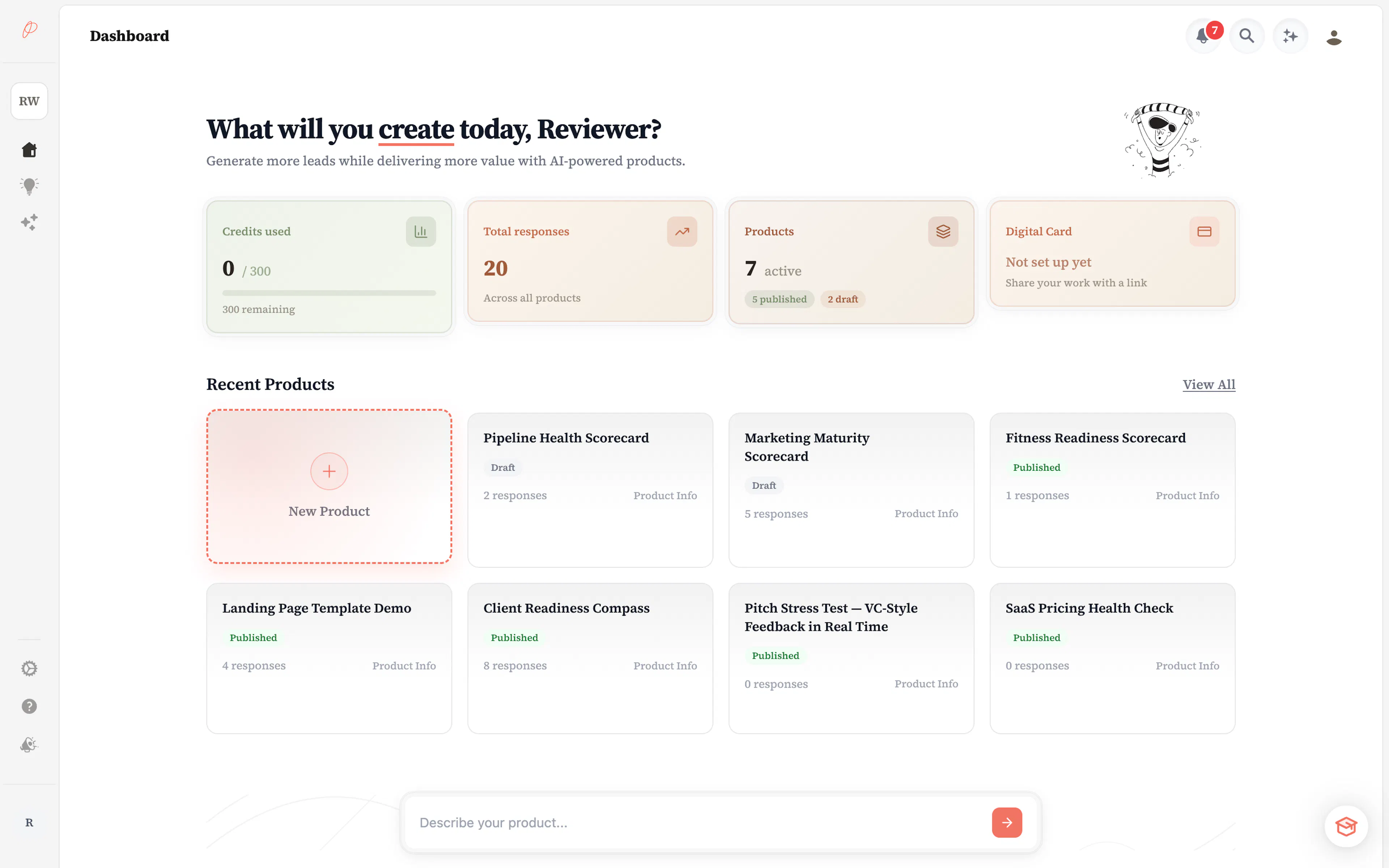
Name your product and describe what it should do
Give your product a name and describe your idea in plain English. Think of this as briefing a colleague — the more specific you are, the better the result.
Good descriptions include:
- Who your audience is ("coaches who are thinking about launching an online course")
- What the product should help them understand or decide ("whether they're ready to scale their business")
- What kind of outcome you want to deliver ("a personalised readiness score with a recommendation")
You do not need to use technical language. Write the way you'd explain it to a friend.
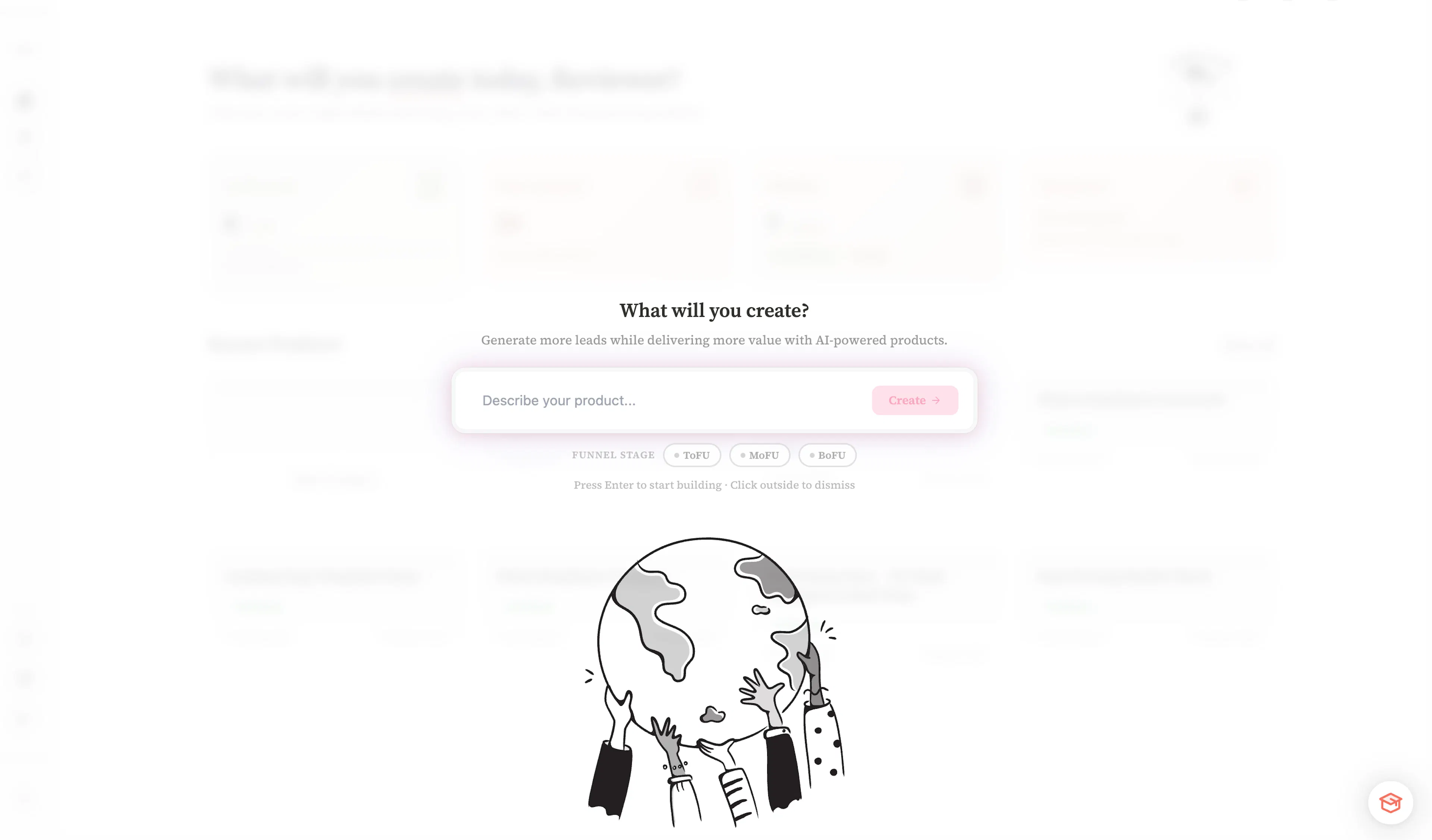
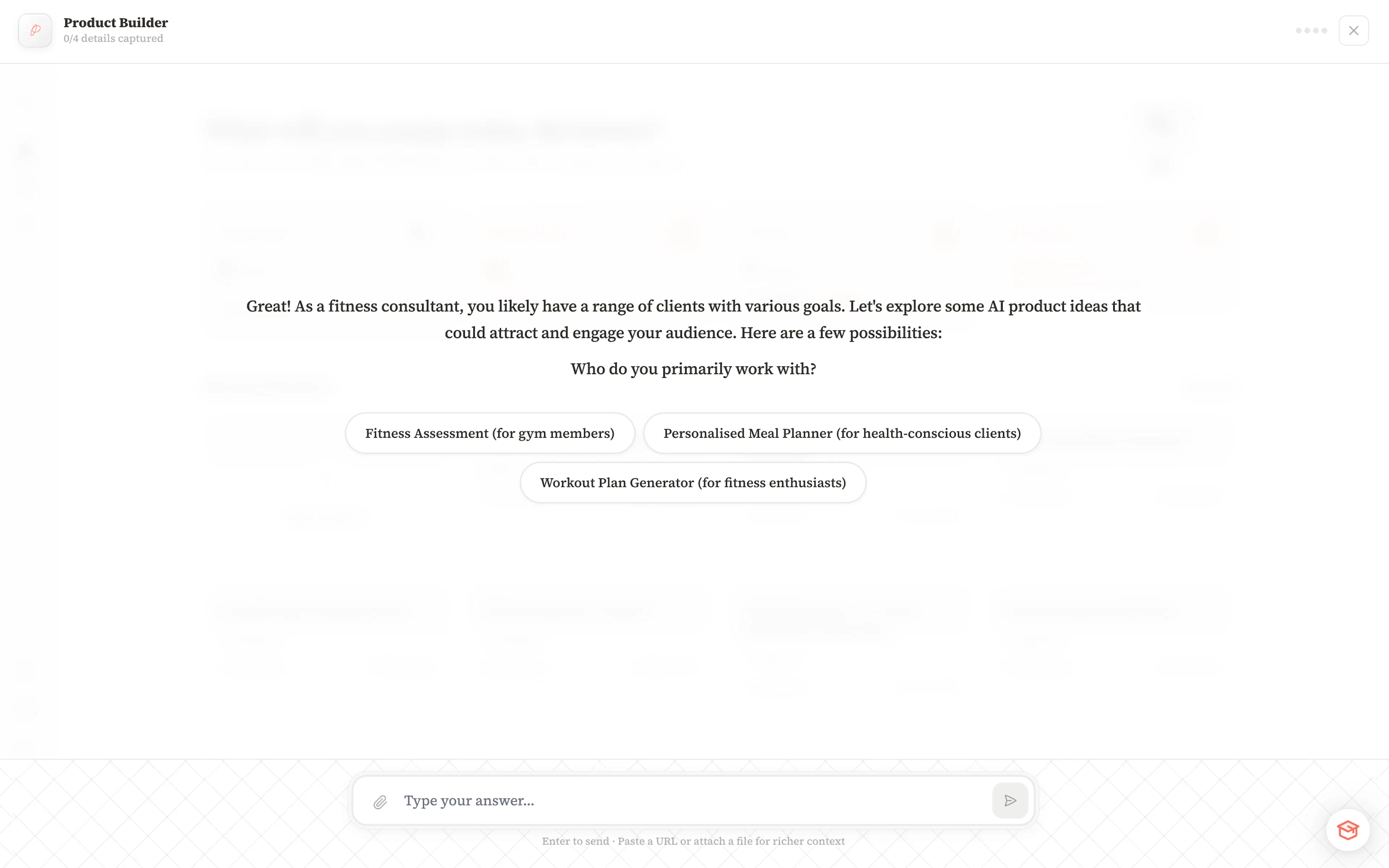
The AI analyses your brief and builds the product
Once you submit your description, the AI analyses your intent, identifies the right product type, designs the conversation flow, creates the collection questions, and configures the decision logic that determines what outcome each person receives. It may also ask further qualifying questions to ensure it builds the product correctly and with a purpose.
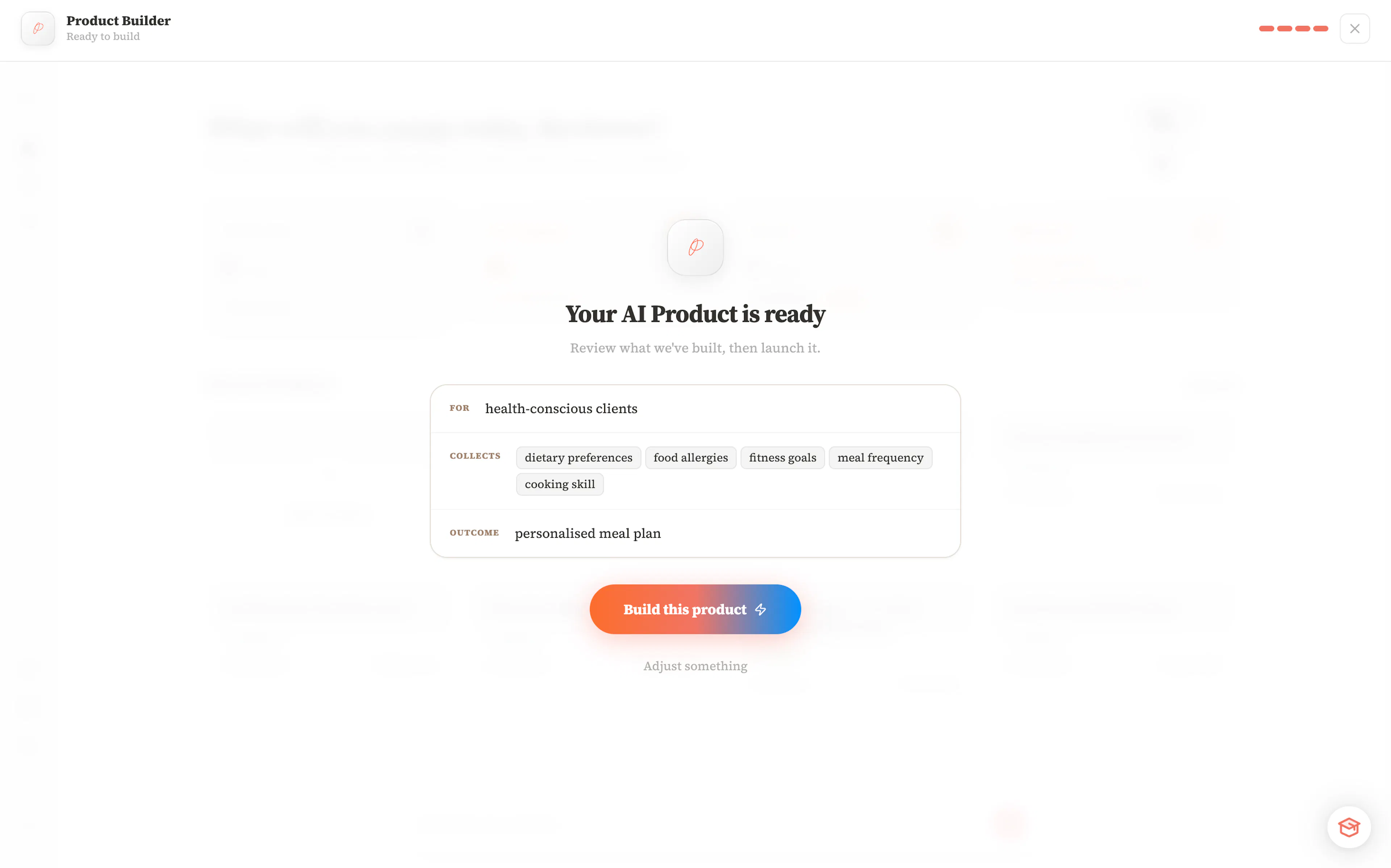
Review what the AI created
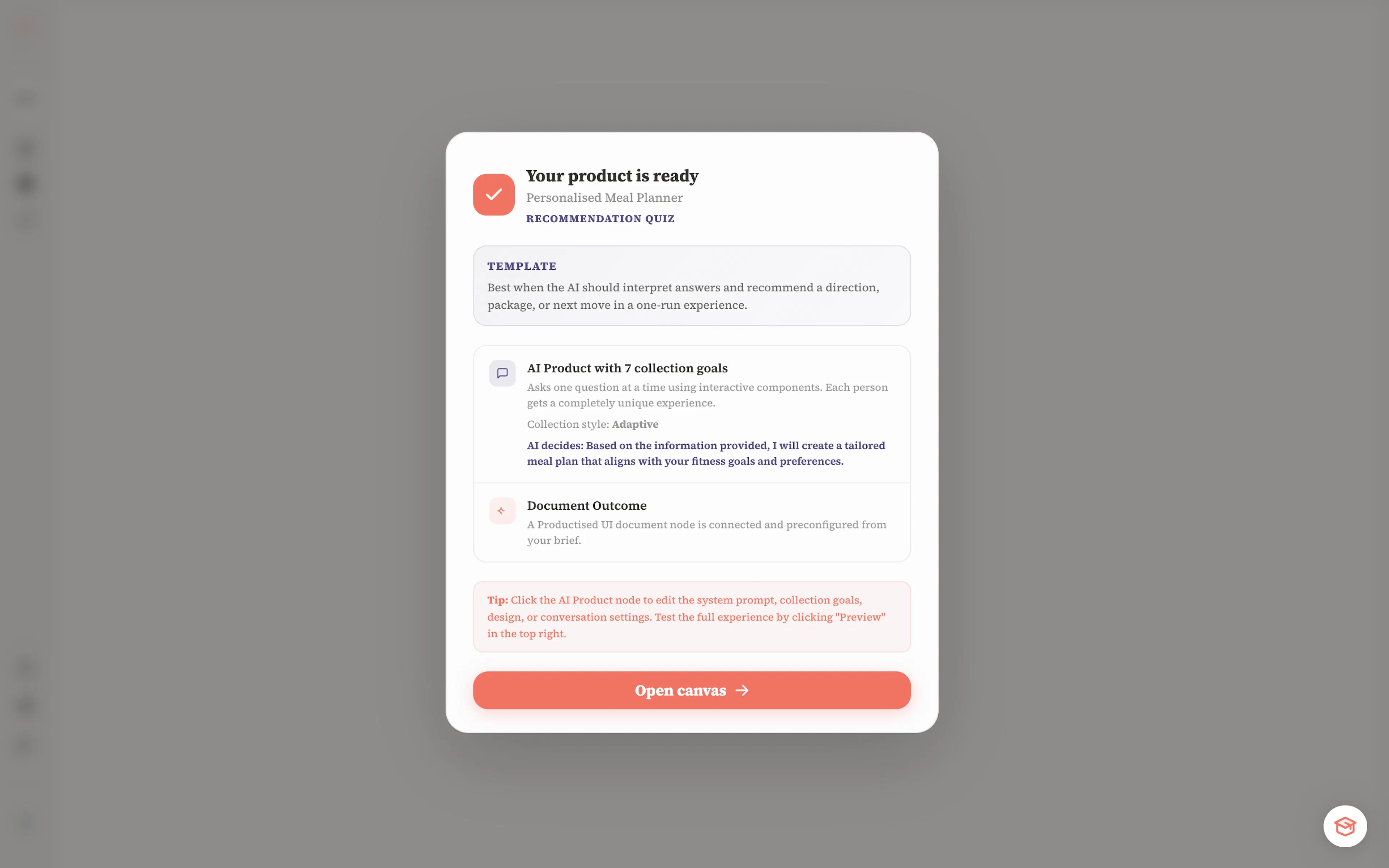
When generation is complete, you'll see a summary of what the AI built: the product type it chose, the questions it created, your target audience as it understood it, the collection style it selected, and what happens at the end of the conversation.
This is your chance to check whether the AI understood your intent. If something looks off, you can adjust the product intent. However, everything is fully editable on the canvas.
Open the canvas and make it yours
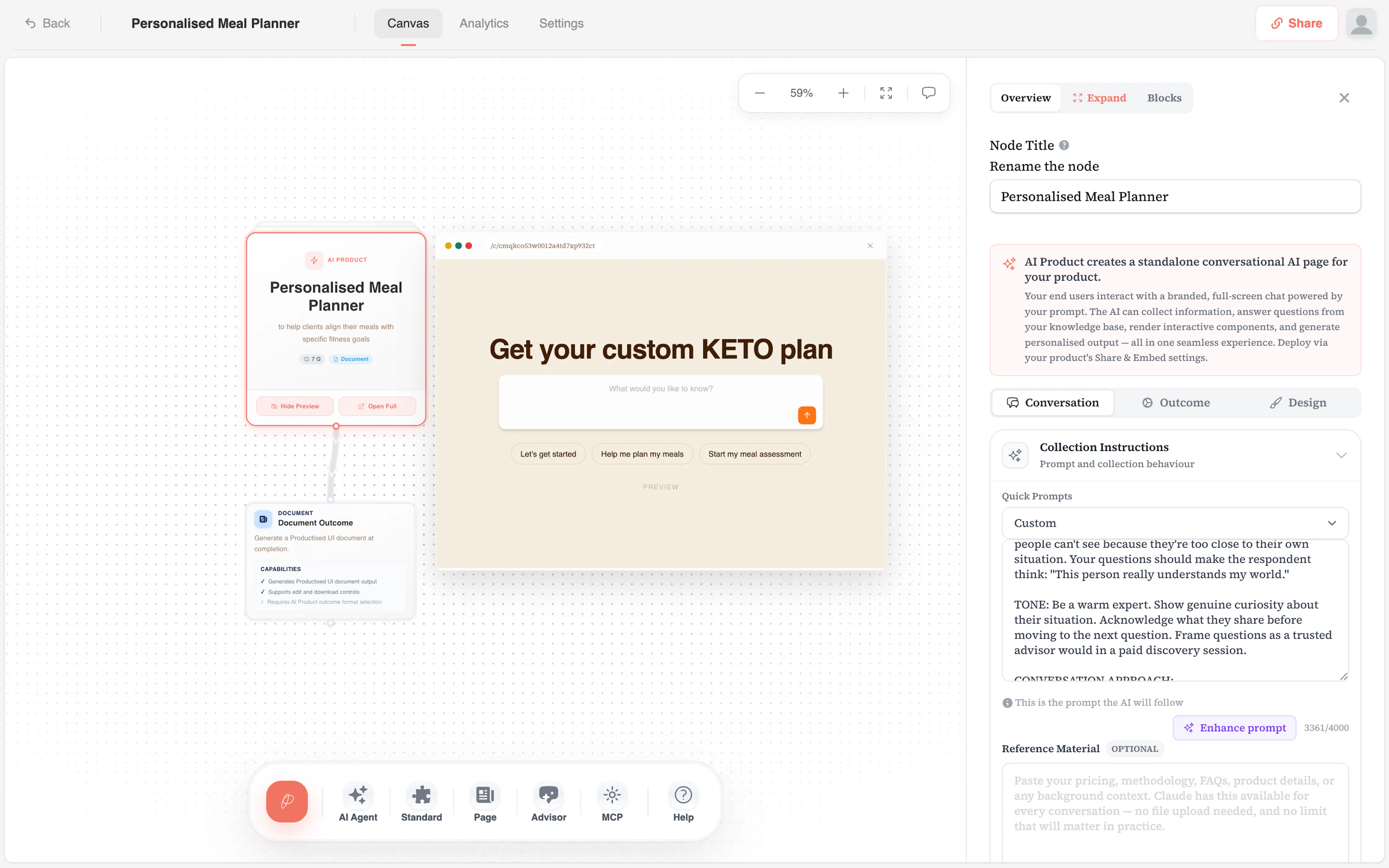
From the summary screen, open your canvas. You'll see your AI Product node fully configured. You can:
- Edit the welcome message your audience sees first
- Adjust or reorder the questions the AI asks
- Change the outcome type (Collect only, Standard, Page, Advisor)
- Add Powers to extend what the AI can do
- Customise colours, fonts, and branding in the Design tab
Preview and publish
Before sharing, use the preview link on the AI Product node to go through the experience as your audience would. Check that the conversation feels natural and the outcome is what you expected.
When you're ready, copy your product link from the Deployment settings and share it — or embed it on your website.
Everything the AI creates is a starting point, not a final draft. You can edit and customise every part of what it builds — questions, prompts, outcome settings, and design.
What comes next
Now that your product is created, take a few minutes to understand your AI Product node — the core of every product on Productised. It controls how the AI converses, what it collects, and how it decides what to deliver.